


Color by Number for Adults
4.32.72K Reviews
App Specs
- Version
- 3.5.0
- Updated On
- License
- Free
- Downloads
- 5,000,000+
- Developer
- Veraxen Ltd.
- Categories
- Board
- Platform
- Android, iOS
Screenshots
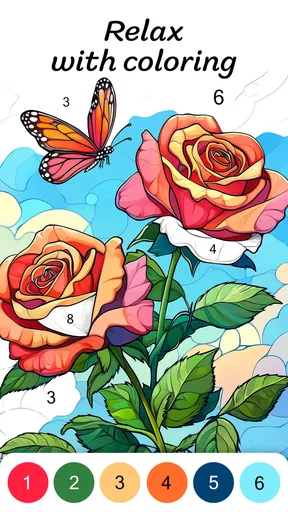
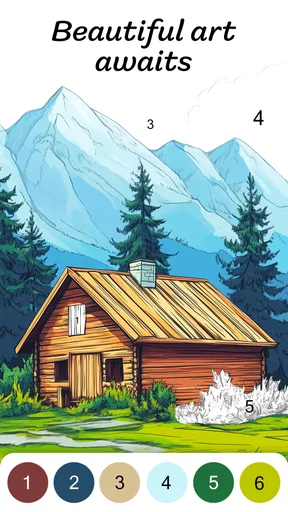
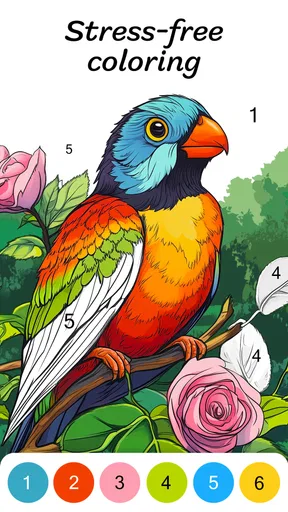
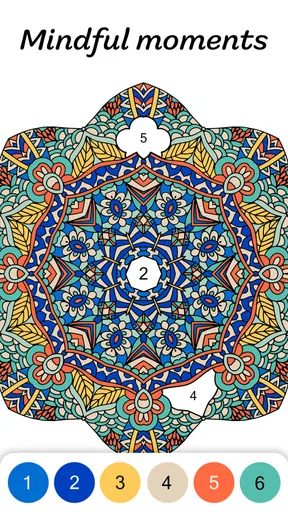
 Analysis by AppCompare
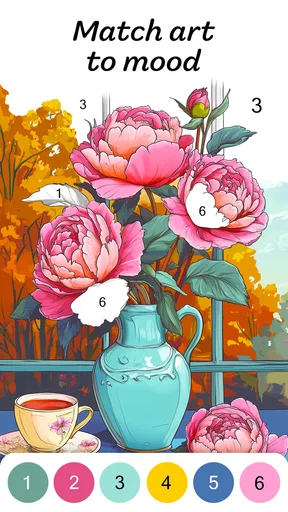
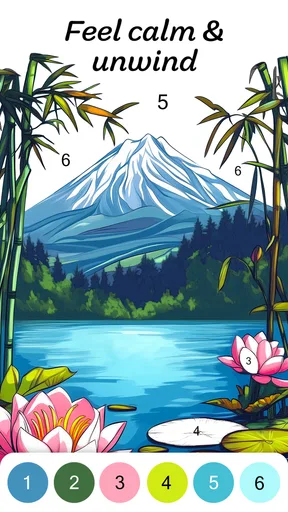
I opened Color by Number for Adults expecting a simple way to pass a few quiet minutes, and that is exactly where it fits best. This free board game from Veraxen Ltd. turns an image into a sequence of numbered spaces, then asks me to match each space with its color. The idea is easy to understand, but the experience is more effective than the short description suggests because it gives ordinary downtime a clear rhythm: choose a picture, fill small areas, watch the image become complete, and stop whenever I feel finished.
After spending time with it, I see it less as a traditional game and more as a gentle digital coloring routine. There is no complicated rulebook to learn and no competitive pressure pushing me to hurry. That makes it a good companion for a commute, a television break, or the last few minutes before bed. It is also important to set expectations early: this is not a strategy board game, a drawing studio, or a replacement for a full creative tool. Its appeal comes from guided progress rather than unlimited artistic freedom.
How I use the basic coloring routine
The normal session begins with selecting an illustration and scanning the numbered sections. I usually start with a color that appears in several visible areas, because completing those spaces gives me a quick sense of movement. From there, I move between larger sections and small details instead of trying to finish the picture in one strict order. That simple change makes the process feel less repetitive, especially on images with many tiny spaces.
The number system removes the pressure of choosing the “right” shade. I am not deciding whether a sky should be pale blue or deep blue; I am following the palette assigned to the picture. For me, that is the central relaxing feature. The game keeps my hands and attention occupied without demanding the kind of concentration required by a puzzle with a timer or a competitive board game.
One useful habit is to treat each picture as a short project rather than an endless feed. I look at the image before tapping and decide whether I want broad shapes, detailed work, or a quick completion. A design with large areas suits a brief break. A highly detailed design works better when I want to settle in for longer. This choice matters because the same coloring mechanic can feel either pleasantly absorbing or slightly tedious depending on my available time.
In an everyday situation, I might use it while waiting for an appointment. Instead of opening a social feed and losing track of time, I can complete a few numbered sections, pause, and return later. The unfinished picture gives the next session a clear starting point. That makes it more practical than an app that requires a long uninterrupted session before progress feels meaningful.
What the game feels like on a phone
On a smaller screen, the main challenge is not understanding the colors but reaching tiny sections accurately. I found that slowing down near edges is better than repeatedly tapping the same area. When a picture becomes dense, I zoom my attention onto one cluster and work outward. The experience rewards patience more than speed, so rushing usually creates more friction than it saves.
Worth Reading Before You Choose

EA SPORTS FC Mobile 26 Is a Bigger Football Game, but It Takes Time

Flipboard Shows What News Apps Must Do Beyond the Feed

Switching to Android Auto Means Rethinking Your Driving Routine

Google Calendar Makes a Crowded Week Easier to Manage

Ludo King Makes the Most of the Minutes Between Plans

Baby Panda World Brings Quick Play to Modern Phones, but Its Game Library Feels Busy
The interface is approachable for someone who has never used a color-by-number game. The numbered structure explains itself through use, and the visual feedback makes it obvious which parts still need attention. I would still recommend trying a simple image first if you are introducing the game to a child or an older relative, although the content rating is Teen, so adults should consider whether the overall material suits the person using it.
The game is free to start, which makes testing the routine easy. It includes in-app purchases ranging from $0.99 to $149.99 per item, so I would pay attention before confirming any optional purchase. My advice is to use the free experience long enough to decide whether the repeated coloring loop genuinely helps you relax. If it does not, spending more will not change the basic nature of the game.
Settings and small choices worth checking
I do not approach the settings as something to configure once and forget. On a coloring game, comfort affects the whole session. I check the available options before settling into longer use, especially anything that changes how the board behaves or how much assistance appears during coloring. A clean screen can help when an illustration contains many small pieces, while extra guidance can be useful when I am trying to finish a picture without hunting through every corner.
My preferred setup depends on the situation. For a short break, I want the least distracting presentation possible so I can tap a few areas and stop. For a longer session, I am more willing to keep helpful visual cues visible because they reduce the time spent searching. This is a small but important trade-off: more assistance can make completion smoother, while a less cluttered view can feel calmer.
I also check the device before blaming the game for awkward taps. A dirty screen, a thick case edge, or a cramped display can make detailed coloring feel harder than it should. Holding the phone steadily and using one finger rather than alternating hands gives me better control. These are mundane adjustments, but they matter more here than in a game where a missed tap has no effect on the overall comfort of play.
Another practical choice is deciding when to stop notifications or other interruptions. A coloring session loses some of its calming quality when I keep switching away to answer messages. I do not need a long session to benefit from the game, but I do need a few uninterrupted minutes. That is why I see it as a focused break rather than background entertainment.
Faster patterns for experienced players
Once the basic routine becomes familiar, I stop treating every numbered space as an isolated task. I scan for connected regions and follow a repeatable path across the image. Large areas first create visible progress, while small details at the end are easier to locate because the remaining work is more obvious. This is faster than tapping randomly, and it also reduces the feeling that the picture is becoming a maze of unfinished fragments.
A second pattern is to work by visual zones. I might complete the upper part of an image, then move to the center, then finish the edges. This helps when several colors are present at once and I want to avoid constantly switching my attention between distant sections. The method is not about achieving a score; it is about reducing mental movement and making the session feel organized.
For detailed designs, I use a two-pass approach. During the first pass, I fill the obvious and larger spaces. During the second, I search carefully for the small remaining sections. This prevents me from spending too much time on one tiny area while a large unfinished region remains elsewhere. It is especially useful when I am coloring during a short break and want the image to look noticeably more complete before I leave the game.
I also avoid choosing a difficult illustration when I am tired. That sounds obvious, but it is one of the easiest ways to turn a relaxing activity into a chore. A complex picture can be satisfying when I am in the mood for detail, yet frustrating when I only want a quick mental reset. Matching the image to my energy level is more valuable than trying to finish whatever I opened first.
Experienced use also means accepting that “faster” is not always “better.” If I tap too quickly, I lose the quiet rhythm that makes the game worthwhile. My best sessions are efficient enough to maintain momentum but slow enough that I notice the picture developing. The right pace is personal, and the game works better when I treat speed as an option rather than a requirement.
Where the relaxing design reaches its limits
The biggest limitation is that the creativity is guided rather than open-ended. I cannot freely sketch, mix colors, or reinterpret the artwork in my own style. Every numbered space has an expected result. If you want to draw from a blank canvas or experiment with color theory, a dedicated art app will serve you better. This game is for completing a visual task, not for making unrestricted artistic decisions.
Repetition is another consideration. The first sessions feel satisfying because the number-to-color relationship is simple and the image changes quickly. Over time, some players may find the same tapping pattern predictable. I think the game is strongest as a flexible habit used in moderation. It works well between other activities, but I would not rely on it as my only source of entertainment.
Small sections can also test patience. On a phone, detailed areas require careful tapping, and the process is less comfortable if I am walking, riding in a moving vehicle, or using the game one-handed in a crowded place. A stable position makes a real difference. If you prefer games that remain easy to control while moving, this is not the ideal choice.
The purchase range deserves a measured approach. The entry price is zero, but optional items can become expensive at the upper end. I would not assume that buying more automatically improves the relaxing quality of the core activity. Anyone sharing a device with children should use normal purchase safeguards and discuss spending before handing over the phone.
The game also asks for a certain kind of attention. It is relaxing because it narrows my focus, not because it lets me play passively. If I want something to listen to while doing another task, a podcast or a simple idle game may be a better match. If I want a board game with decisions, tactics, or interaction with other players, I would choose something from a more traditional board-game category instead.
Who should try it and who should skip it
I would recommend this game to adults who enjoy structured coloring, visual progress, and short sessions without complicated rules. It is a particularly good fit for someone who likes puzzles but does not want failure states, countdowns, or competitive rankings. The numbered system gives enough direction to prevent the blank-page feeling that can make open-ended drawing intimidating.
It can also suit people who need a deliberate pause during the day. A few completed sections provide a natural stopping point, and a nearly finished picture gives motivation to return. I would use it after work, during a waiting period, or when I want to replace aimless scrolling with something more contained. The benefit is not that every session feels profound; it is that the activity is easy to begin and easy to leave.
I would skip it if your main goal is social play, strategic depth, or personal artistic control. Someone looking for a competitive board experience will find the interaction too limited. Someone who dislikes repetitive tapping may lose interest quickly. I would also avoid recommending it blindly to younger users because the listed age guidance is Teen, and adults should review the content themselves before deciding whether it is appropriate.
Compared with physical coloring books, the game is more convenient and forgiving: there is no need to carry pencils, sharpen tools, or clean up. Compared with freehand drawing apps, it is much less expressive but easier to start. Compared with traditional digital board games, it offers relaxation instead of meaningful choices. Those differences are not flaws by themselves; they define the audience. The best alternative depends on whether you want calm completion, creative freedom, or gameplay with consequences.
My verdict after building a repeatable habit
Color by Number for Adults succeeds because it understands the value of a small, predictable task. I can open it without learning a system, choose an image that matches my mood, and make visible progress almost immediately. The developer is Veraxen Ltd., and the game has reached over 5 million installs with an average rating of 4.3 from around 24 thousand ratings, which fits the broad appeal I felt while using it.
The current release is version 3.5.0, and the game runs on operating systems starting with version 9. It was released on December 17, 2019, so this is an established title rather than a brand-new experiment. Those details matter less than the daily experience, but they make it easier to judge the app as a mature coloring option with a substantial audience.
My strongest recommendation is to create a simple personal workflow: choose the picture according to your available time, begin with broad areas, use visual zones for detailed images, and leave the smallest sections for a final pass. Check the settings for comfort, keep purchase decisions deliberate, and stop when the activity stops feeling calming. That approach gets more from the game than tapping without a plan while still preserving its relaxed character.
The best reason to install it is not the promise of endless entertainment, but the dependable pause it creates. I would keep it on my phone for quiet breaks and low-pressure focus. I would not choose it for competition, deep strategy, or serious art-making. Within its narrower purpose, though, it is a pleasant and accessible board-style coloring game, and the free starting point makes it easy to decide whether its rhythm belongs in your routine.
Pros
- Simple controls make coloring accessible for beginners.
- Large image library offers themes for different interests.
- Offline coloring is available for many pictures.
- Completed artworks can be saved and shared easily.
- Regular updates add fresh pages and seasonal designs.
Cons
- Some detailed images may feel difficult on smaller screens.
- Ads can interrupt the coloring experience.
- Many premium pictures require a subscription or purchase.
- Color choices may be limited compared with freehand coloring apps.
- The app can use considerable storage as the gallery grows.
FAQs for Color by Number for Adults
What is Color by Number for Adults?
Color by Number for Adults is a digital coloring app designed for relaxing, creative sessions on a smartphone or tablet. It offers numbered illustrations that users complete by selecting the matching colors. The artwork commonly includes animals, flowers, landscapes, mandalas, patterns, and other detailed images intended for adult users who enjoy casual creativity without needing traditional drawing skills.
Is Color by Number for Adults free to download and use?
The app can generally be downloaded for free, but some features may be limited depending on the version available for Android or iOS. Additional artwork, premium color palettes, ad-free access, or other tools may require in-app purchases or a subscription. Before downloading, check the store listing carefully for pricing, trial terms, recurring charges, and whether advertisements are included.
Does Color by Number for Adults work without an internet connection?
Many basic coloring activities may be available offline after the required images or content have been downloaded, which makes the app convenient for travel or areas with limited connectivity. However, internet access may still be needed for downloading new pictures, synchronizing progress, displaying advertisements, completing purchases, or accessing online collections. Offline availability can vary by app version and device.
Is Color by Number for Adults suitable for beginners?
Yes. The numbered format makes the app approachable even for people with no previous drawing or coloring experience. Users simply choose a color and tap the matching numbered sections, while hints can often help locate difficult areas. More detailed illustrations may require patience and careful zooming, but the gradual process is generally easy to understand and suitable for casual beginners.
Does Color by Number for Adults collect personal data?
The information collected depends on the developer, device permissions, advertising partners, and account features used in the app. It may include technical data, usage information, purchase details, or identifiers used for analytics and advertising. Review the app’s current privacy policy and store permissions before installing, especially if you plan to create an account, enable cloud synchronization, or make in-app purchases.


